How to Change the Name on the K-Electric Bill in 2026
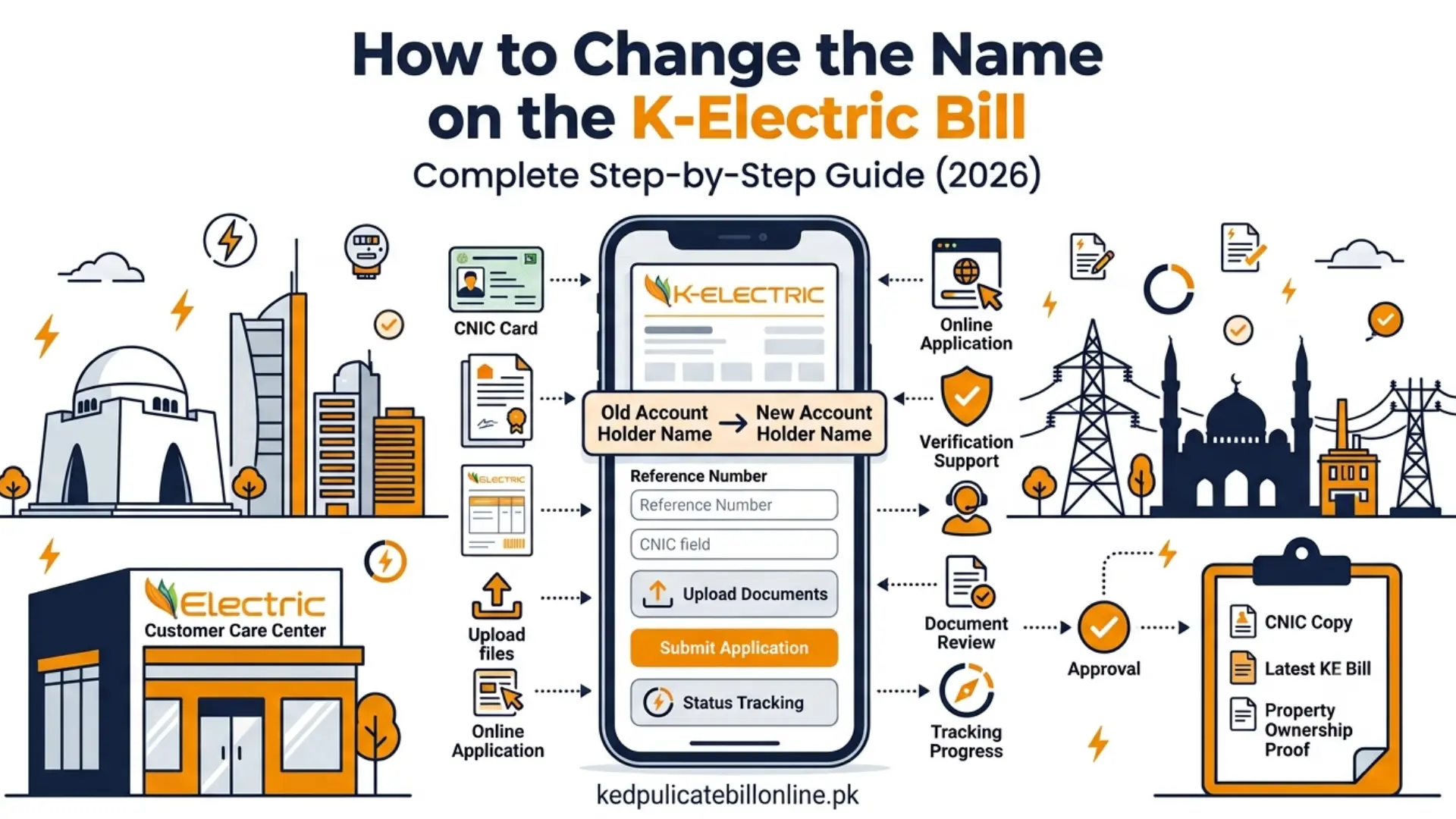
You can change the name on the K-Electric bill by submitting an application with the required supporting documents. Depending on your situation, you may need proof of ownership, tenancy documents, your CNIC, and your latest bill. The process and requirements can vary, so confirm the current requirements with K-Electric before applying.
When Should You Apply for a Change of Name?
Common situations where this applies include:
- You purchased a property and the K-Electric account is still in the previous owner’s name.
- Ownership changed through inheritance or another transfer.
- Your K-Electric account details no longer match your CNIC or current property records.
Keeping the name on your K-Electric account up to date helps ensure K-Electric’s records match the current account holder. It can also make future requests tied to the connection easier to process. K-Electric may need to verify your account details for those requests.
What Documents Do You Need?
K-Electric has previously stated that a new owner needs to submit a sales deed, sub-lease, or mutation letter. A copy of the CNIC and the last paid bill showing no outstanding dues are also required. This statement is a few years old. Confirm current requirements with K-Electric, especially for inheritance, rented property, or commercial connections.
- Your CNIC, along with a copy for submission.
- Proof of property ownership, such as a sales deed, sub-lease, or mutation letter.
- Your latest K-Electric bill, showing no outstanding dues.
- An undertaking, if K-Electric requires one for your specific application.
Requirements can vary depending on your specific situation, such as inheritance or a rented property. Confirm the exact list with K-Electric before submitting.
How to Change the Name on the K-Electric Bill
Applying at a Customer Service Center
- Visit your nearest K-Electric customer service center.
- Request the change of name application form.
- Fill out the form with your current and new details exactly as they appear on your CNIC.
- Attach your required documents.
- Submit the completed application to the K-Electric representative.
- Wait for K-Electric to verify your documents and update your account.
K-Electric has previously described conducting a site survey after an application is submitted. This checks whether your connected load differs from your sanctioned load. If it does, you may be asked to pay a differential security deposit first.
K-Electric may require an undertaking declaring the applicant’s responsibility for the connection and outstanding dues. Check the current form before submitting it.
Can You Change the Name on a K-Electric Bill Online?
K-Electric has publicly stated that customers can submit change of name requests digitally, alongside requests like new connections. This came from an official 2024 company statement. KE Live is also accessible at live.ke.com.pk through a web browser, using the same login as the app. Confirm the current online process before relying on it. If an online option is not available for your account, use a customer service center instead.
What Happens After You Submit the Application?
K-Electric verifies your submitted documents against your account and connection details when you change the name on the K-Electric bill. If everything matches, your account is updated to reflect the new name. If K-Electric needs additional information or documents, they will typically contact you using the details on your application.
How Long Does a K-Electric Name Change Take?
If any required differential security deposit is paid, K-Electric has previously said the change reflects in your next billing cycle. It described this as taking around 19 days. This figure is a few years old, so treat it as a general reference rather than a guarantee. If your request is taking unusually long, follow up with K-Electric using your reference number.
Can You Change the Name After Buying a Property?
A name change on a K-Electric account and a transfer of property ownership are not necessarily the same process. If you recently bought, inherited, or rented a property, K-Electric may require documents specific to your situation. Confirm which documents apply to your case before submitting the request.
What If Your Application Is Delayed?
If your request is delayed or you run into a problem, see our K-Electric complaint guide for escalation options.
Tips to Avoid Mistakes
These tips can help your request to change the name on the K-Electric bill go smoothly.
- Enter your name exactly as it appears on your CNIC, including your father’s or husband’s name where required.
- Check every field before submitting, since a small mismatch can delay your application.
- Submit clear, legible copies of every document.
- Keep copies of everything you submit, along with any receipt or reference number K-Electric gives you.